


Jump to content
View in the app

A better way to browse. Learn more.

Dragons´ Lair

A full-screen app on your home screen with push notifications, badges and more.

To install this app on iOS and iPadOS
  1. Tap the Share icon in Safari
  2. Scroll the menu and tap Add to Home Screen.
  3. Tap Add in the top-right corner.
To install this app on Android
  1. Tap the 3-dot menu (⋮) in the top-right corner of the browser.
  2. Tap Add to Home screen or Install app.
  3. Confirm by tapping Install.
  • Un'altra parte della storia di D&D viene a mancare, con la morte di James Ward.

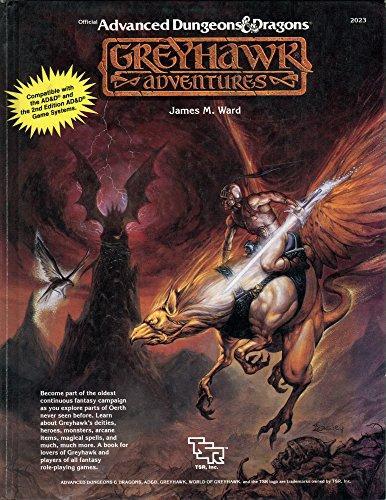
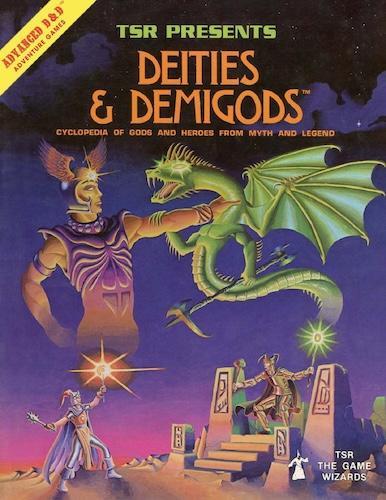
James Ward, uno degli storici membri della TSR, nonché uno dei giocatori che hanno partecipato alle prime avventure di Gary Gygax negli anni '70, è venuto a mancare all'età di 72 anni. Il suo personaggio Drawmij (che altro non è che Jim Ward scritto al contrario) era un potente mago, che aveva persino dato il nome ad alcuni incantesimi, tra cui evocazioni istanteee di Drawmij. Tra i prodotti più importanti su cui James Ward ha lavorato, ricordiamo in particolare Greyhawk Adventures e Deities and Demigods. Dopo il suo lavoro su D&D, durato fino a metà degli anni '90, aveva co-fondato la Fast Forward Entertainment, una ditta che produceva supplementi per i giochi di ruolo.
large.432853584_10161929948918296_1042404990675859307_n.jpg.2330ae78299f47e600188c3fad653ca5.jpglarge.1.jpg.840c446f6c2468b9df37f197b9508672.jpg


Generica

User Feedback

Recommended Comments

Percio

Circolo degli Antichi

E non dimentichiamoci di Metamorphosis Alpha e Gamma World, due dei primi giochi di fantascienza mai realizzati (il primo pubblicato prima di Traveller, il secondo l'anno seguente).

Scusate il momento Quattrocchi. 

RIP

Mezzanotte

Circolo degli Antichi

So che è la natura delle cose, ma vedere il mio mondo perdere pezzi mi carica di esistenzialismo.

Lopolipo.96

Circolo degli Antichi

Conosco alcuni dei manuali, spiace che sia venuto a mancare

Create an account or sign in to comment

Member Statistics

  • 30,327 Total Members
  • 3,890 Most Online
  • TimeForNerd Newest Member ·

Configure browser push notifications

Chrome (Android)
  1. Tap the lock icon next to the address bar.
  2. Tap Permissions → Notifications.
  3. Adjust your preference.
Chrome (Desktop)
  1. Click the padlock icon in the address bar.
  2. Select Site settings.
  3. Find Notifications and adjust your preference.